因为linux中包含各种处理器与驱动,若直接使用source insight建立工程,工程同步时间会比较长。另一方面,一个结构体或者变量可能会有多个定义,搞不清楚到底是使用了哪一个,给初学者带来了一些困扰。
使用PF_Prj_Gen工具就可以避免这样的问题,因为它只记录进行编译的那些文件。当然,还参考了网上一些文章,在此一并致谢。
使用方法如该工具的readme.md所述。
1、Compile
compile the kernel or u-boot source code。
首先编译linux内核,这里使用虚拟机进行编译。
2、Clone
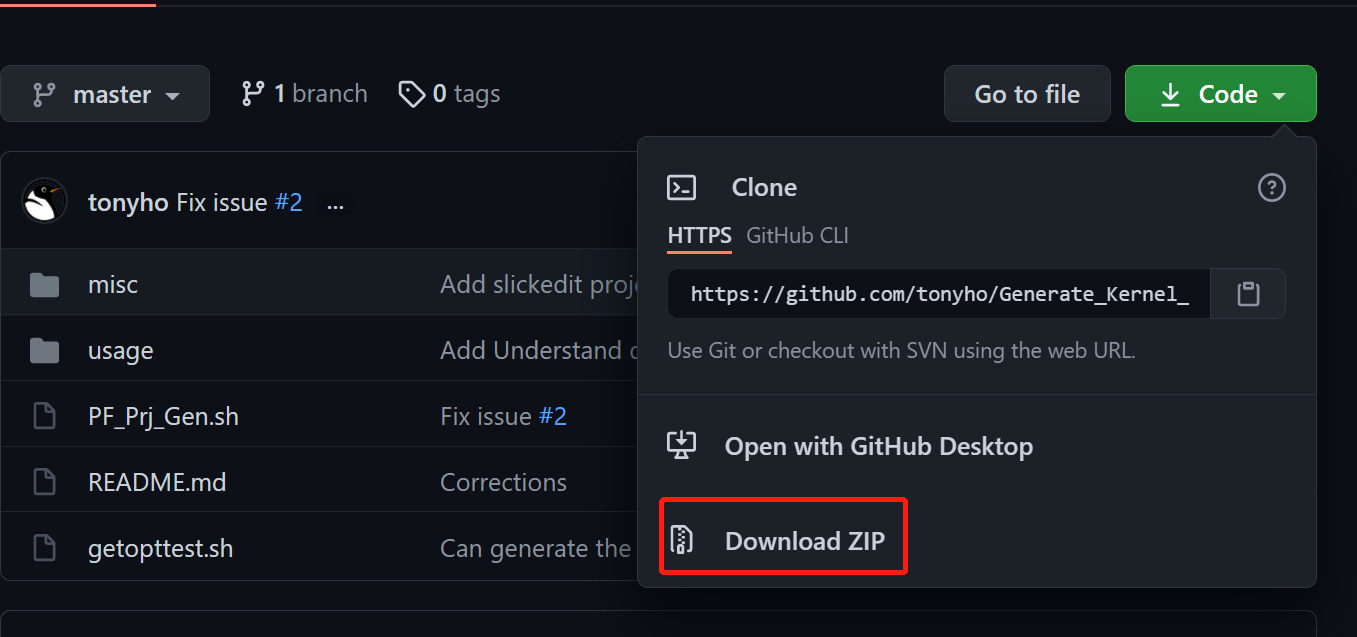
git clone https://github.com/tonyho/Generate_Kernel_Uboot_Project_forIDE.git也可以直接在网页下载下来,如下图。
3、Generate
cd Generate_kernel_uboot_project_forIDE
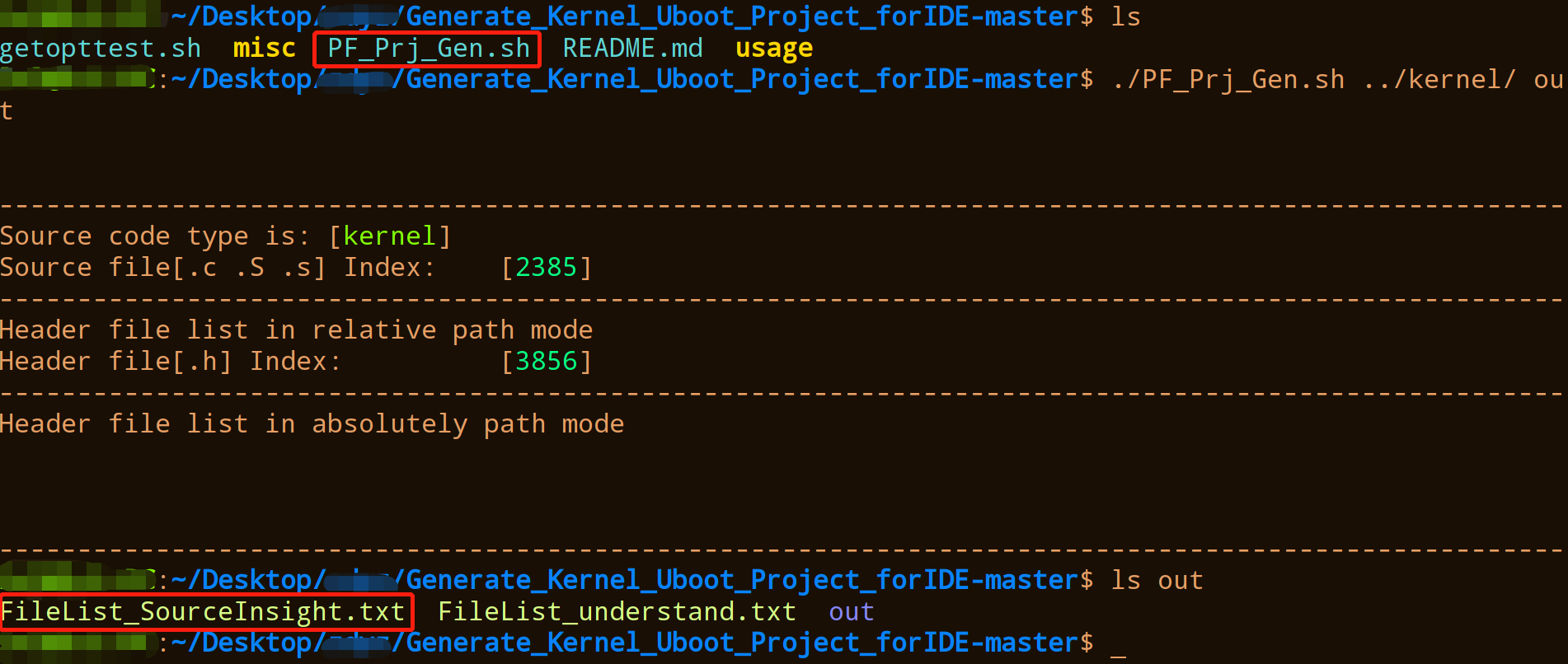
./PF_Prj_Gen.sh Path_For_Compiled_Kernel(Uboot)_Directory OutPutProjectFileName
This would create the filelist for Understand and Source Insight and the Slickedit Project in Outputprojectfilename. THen you can use these output file to genenate the project.
1 | ./PF_Prj_Gen.sh ../kernel/ out |
4、source insight
将输出文件夹中的FileList_SourceInsight.txt复制出来。
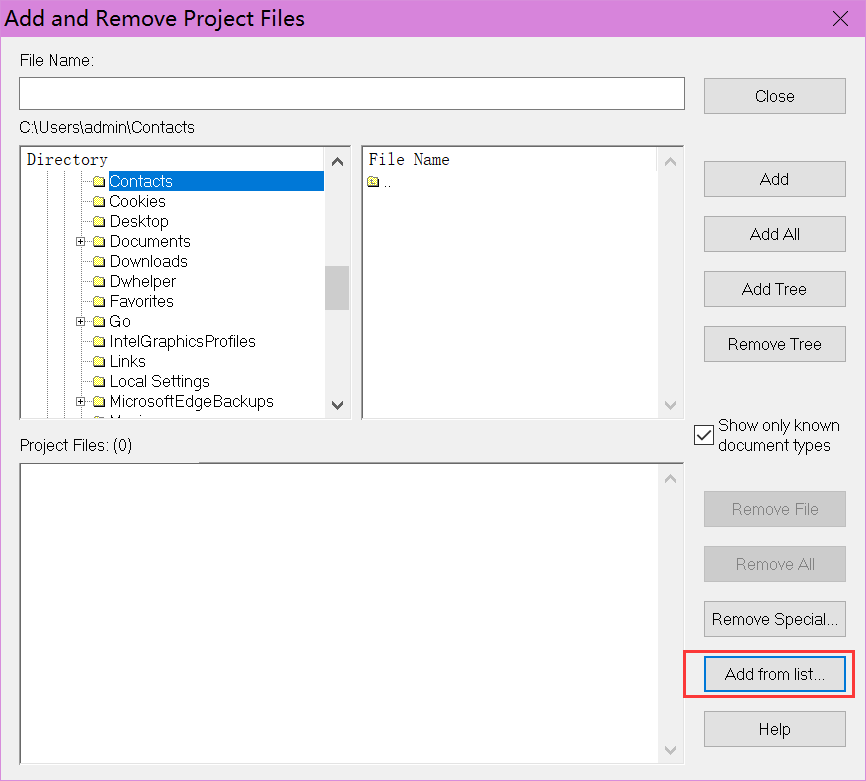
在新建工程添加文件时,按下图操作,选择add from list,选择刚才的FileList_SourceInsight.txt文件。
上述处理流程对uboot也是使用的。
以上就是基本操作,整体来说还是比较简单的,但是对初学者而言看代码就方便很多了。还是那句话,工欲善其事必先利其器。
文中资源与参考
1、https://github.com/tonyho/Generate_Kernel_Uboot_Project_forIDE